Case Study: Luxury App
Creating a clean and minimal online shopping experience for individuals seeking luxury items.
Role
Product Designer
Industry
Luxury E-Commerce
Duration
1 month
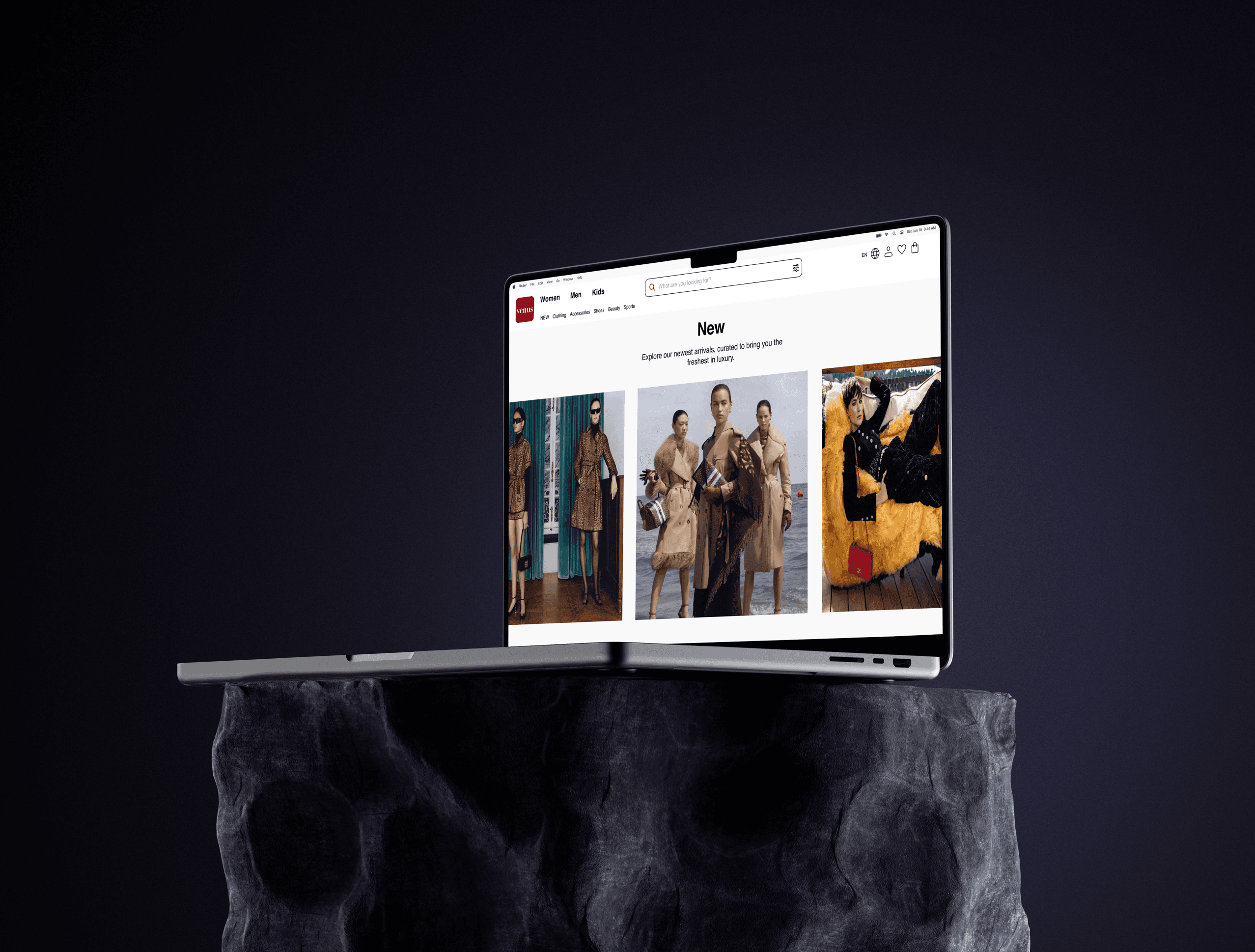
Overview
Objective
To create a seamless and enjoyable online shopping experience for individuals seeking luxury items. The platform targets users who value high-quality products and seek a minimalist, sophisticated interface that aligns with their refined preferences.
Problem
Many users prefer online luxury shopping due to busy schedules and the convenience of browsing from home or while commuting. However, existing platforms often suffer from poor navigation and limited filtering options, making it challenging for users to find their desired products. This leads to frustration and diminishes the overall shopping experience.
Stage 1. User Research
Engaged with 5 users through in-depth interviews to gather comprehensive insights into their shopping habits, preferences, and frustrations with existing luxury e-commerce platforms.
Stage 2. Ideation & Conceptualization
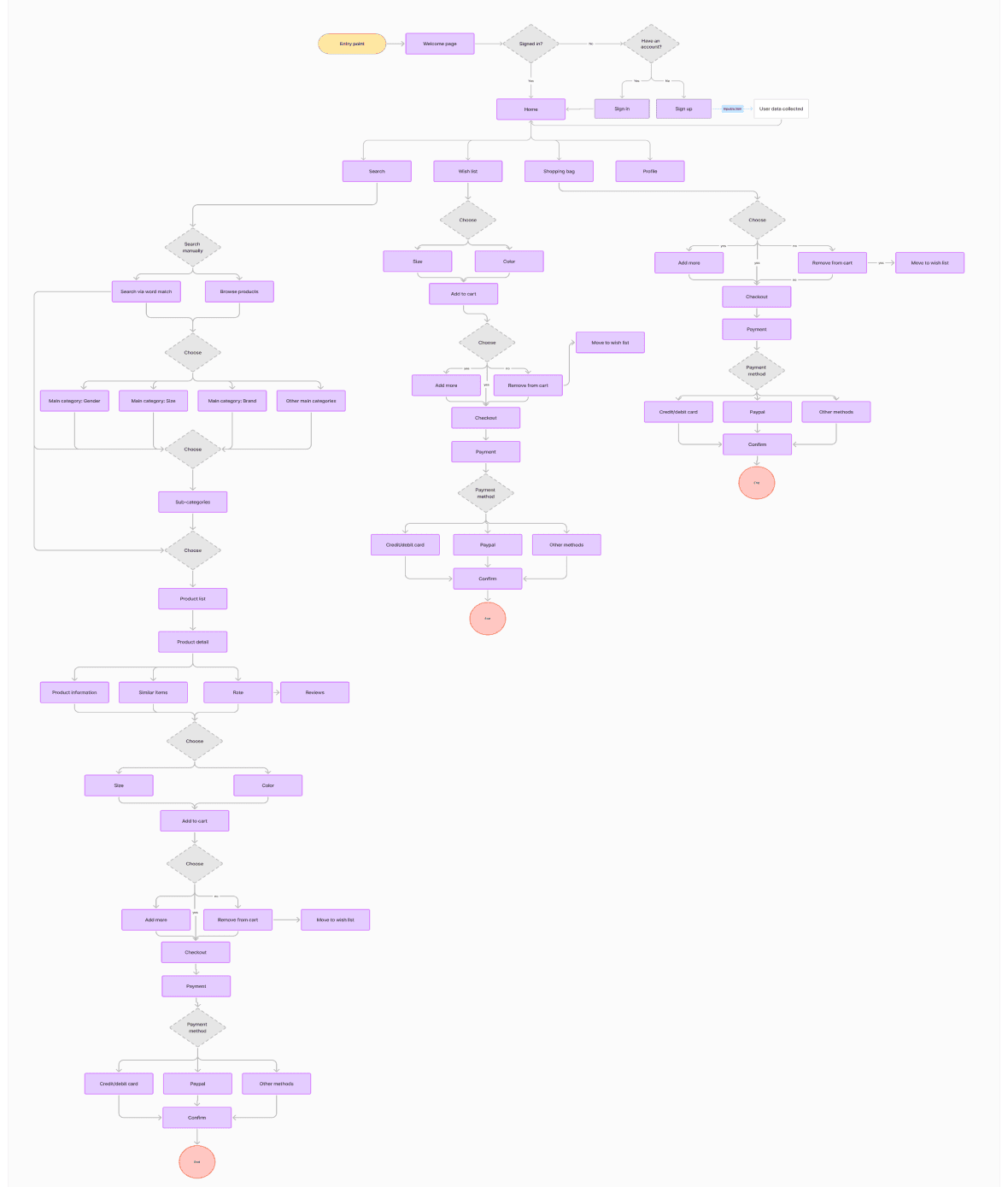
Mapped out a detailed user flow to visualize how users would interact with the proposed features of the luxury shopping platform, ensuring clarity and fostering collaboration among stakeholders.
Stage 3. Branding & UI Design
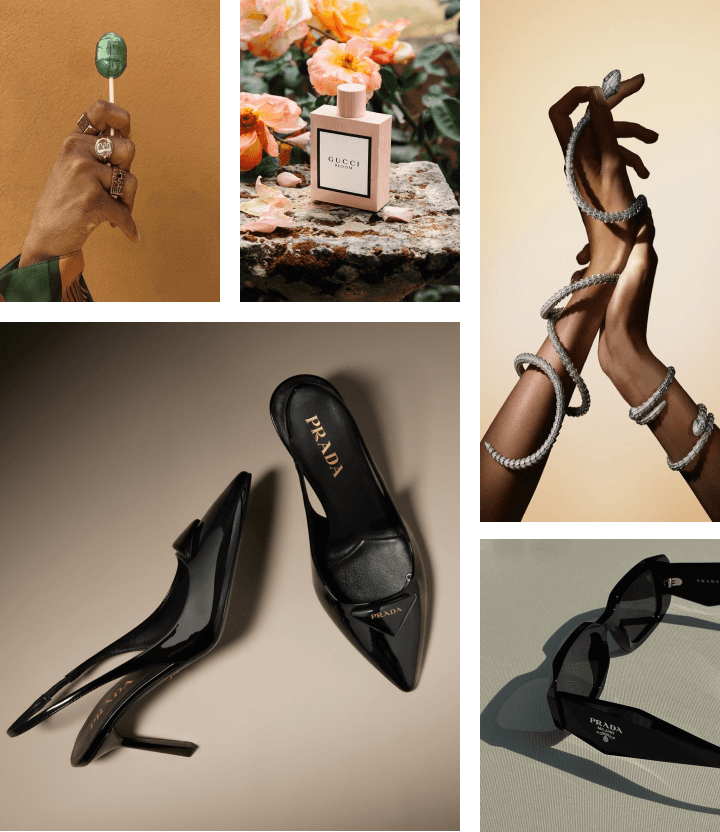
Mood board: It brings together key elements that shape the brand's visual identity and reflect its future vision. At the start of the creative process, visuals were selected to establish a strong connection with the target audience. Soft color palettes, graceful compositions, and luxurious elements visually convey the brand's timeless elegance and modern femininity.
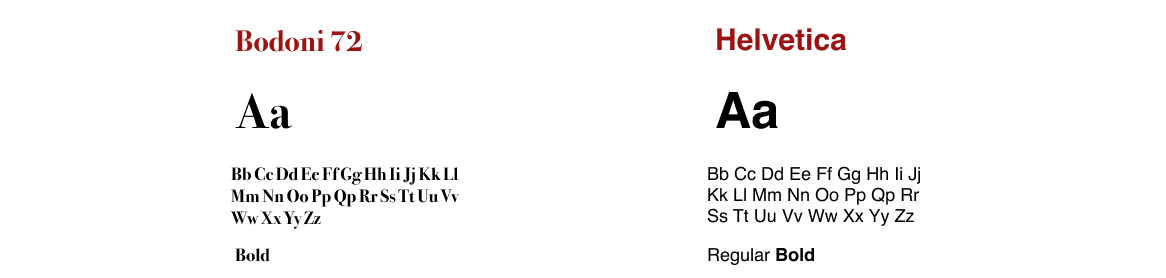
Typography: Bodoni 72 reflects timeless elegance in the logo and headers, while Helvetica offers modernity and balance in the body text. This combination strengthens the brand’s overall aesthetic by blending classic sophistication with a contemporary feel.
Color palette: This color palette perfectly embodies the essence of "Venus Avenue." The warm pink and gold evoke a sense of luxury and elegance, while black adds a touch of timeless sophistication, creating a visually striking and memorable brand identity.

Logo: The "Venus Avenue" logo, designed using Figma, takes its name from the goddess Venus, symbolizing love, beauty, and elegance. This connection to Venus reinforces the brand's identity as a source of luxury and refined products, evoking feelings of allure and sophistication.

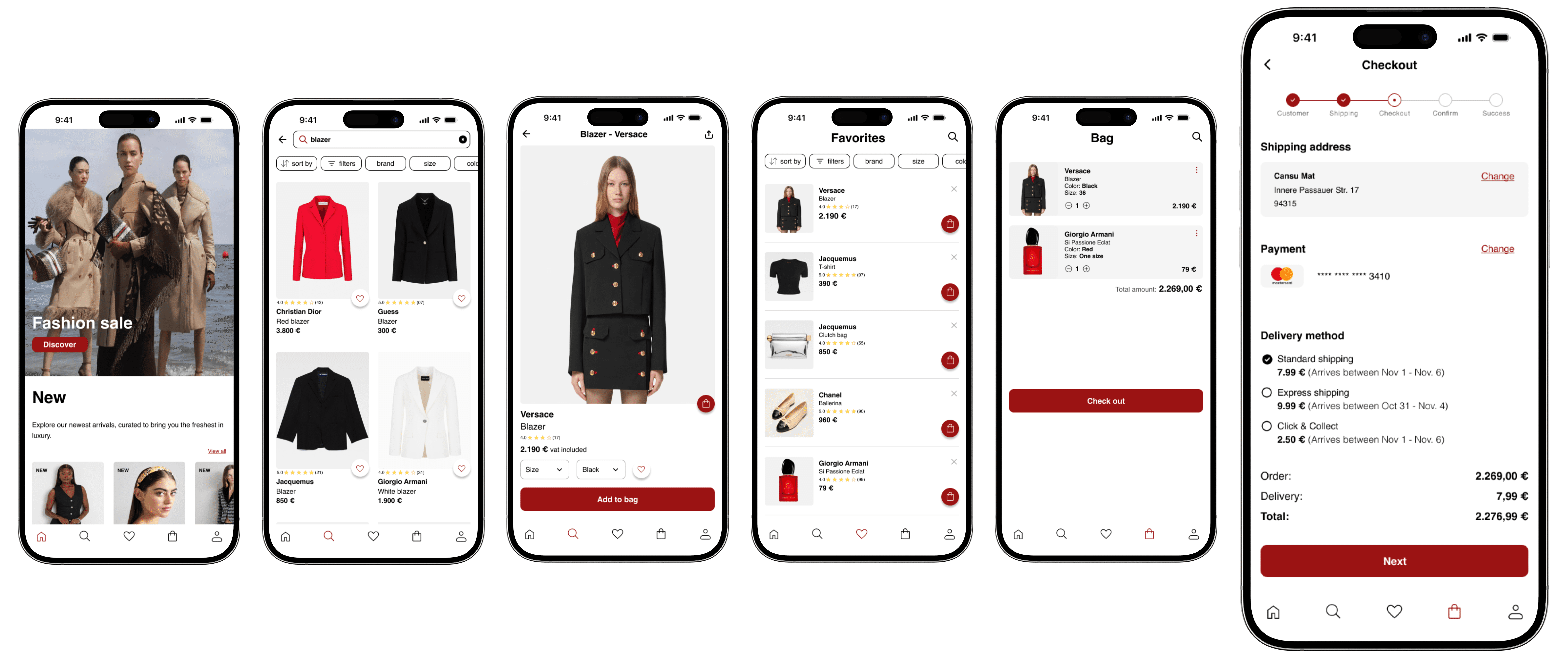
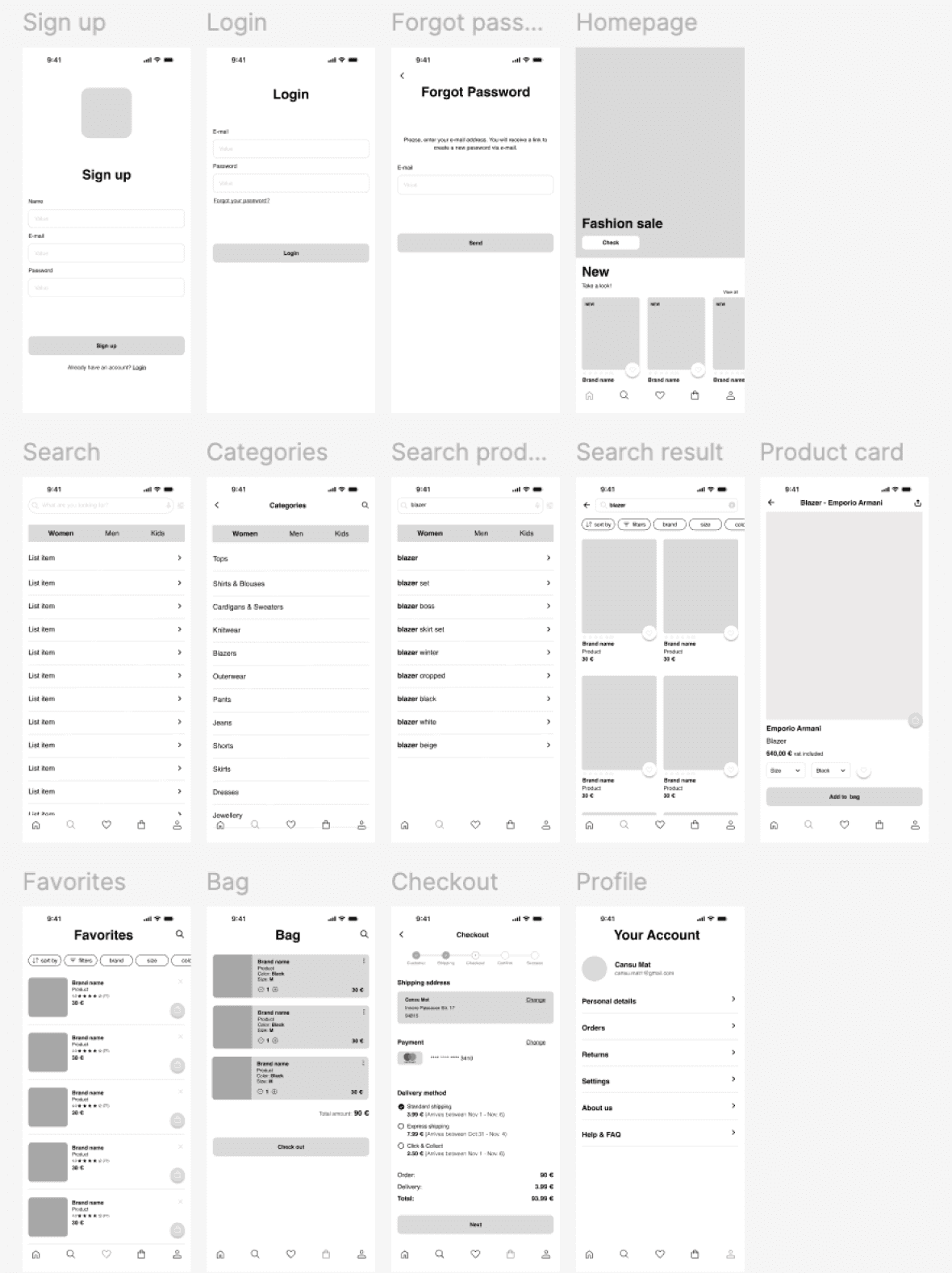
Wireframing: Wireframes were created for both iOS and Android platforms to ensure a seamless and intuitive user experience across devices. The design focused on maintaining consistency in layout and user flow while adhering to the specific guidelines and requirements of each platform.
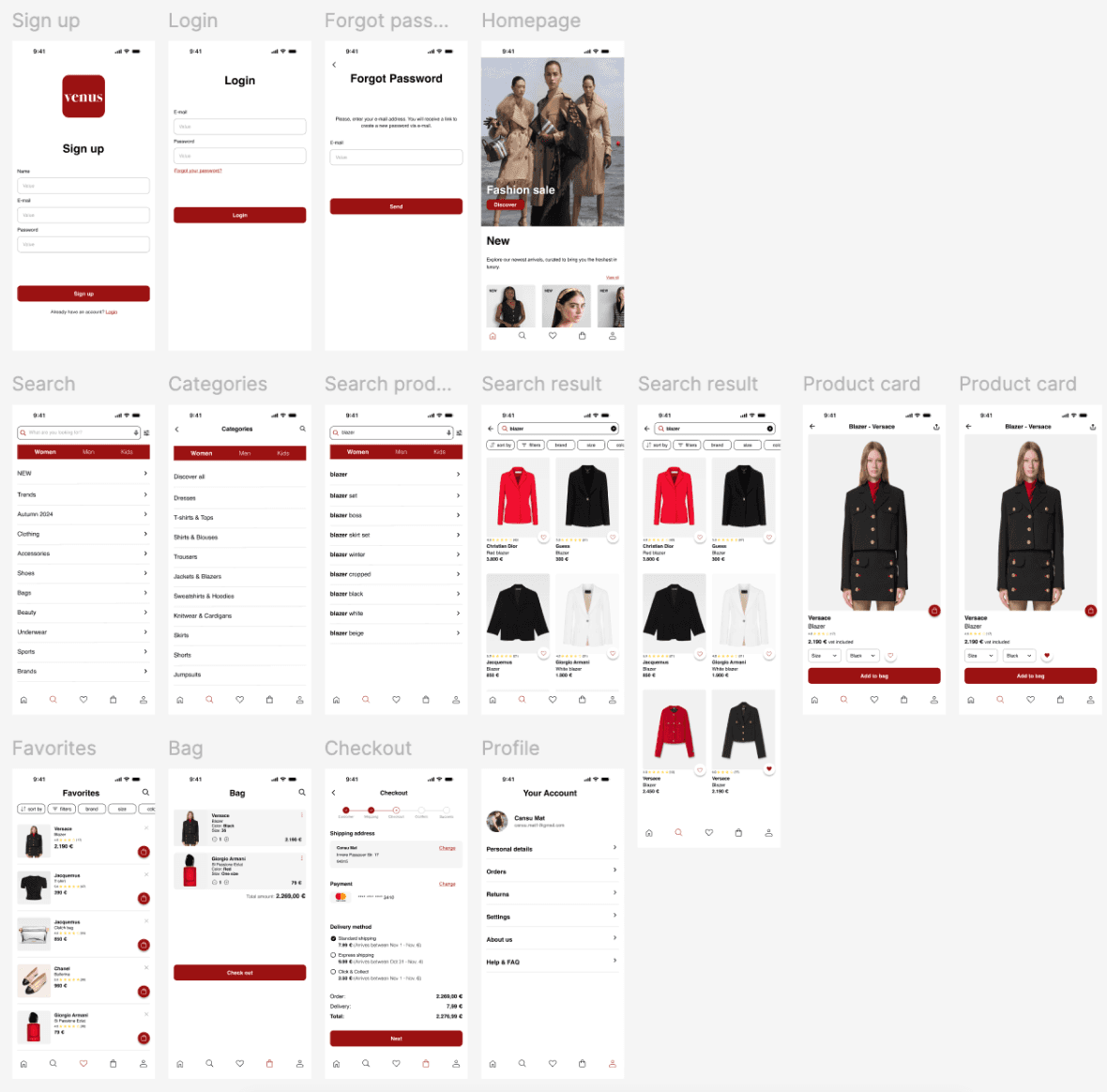
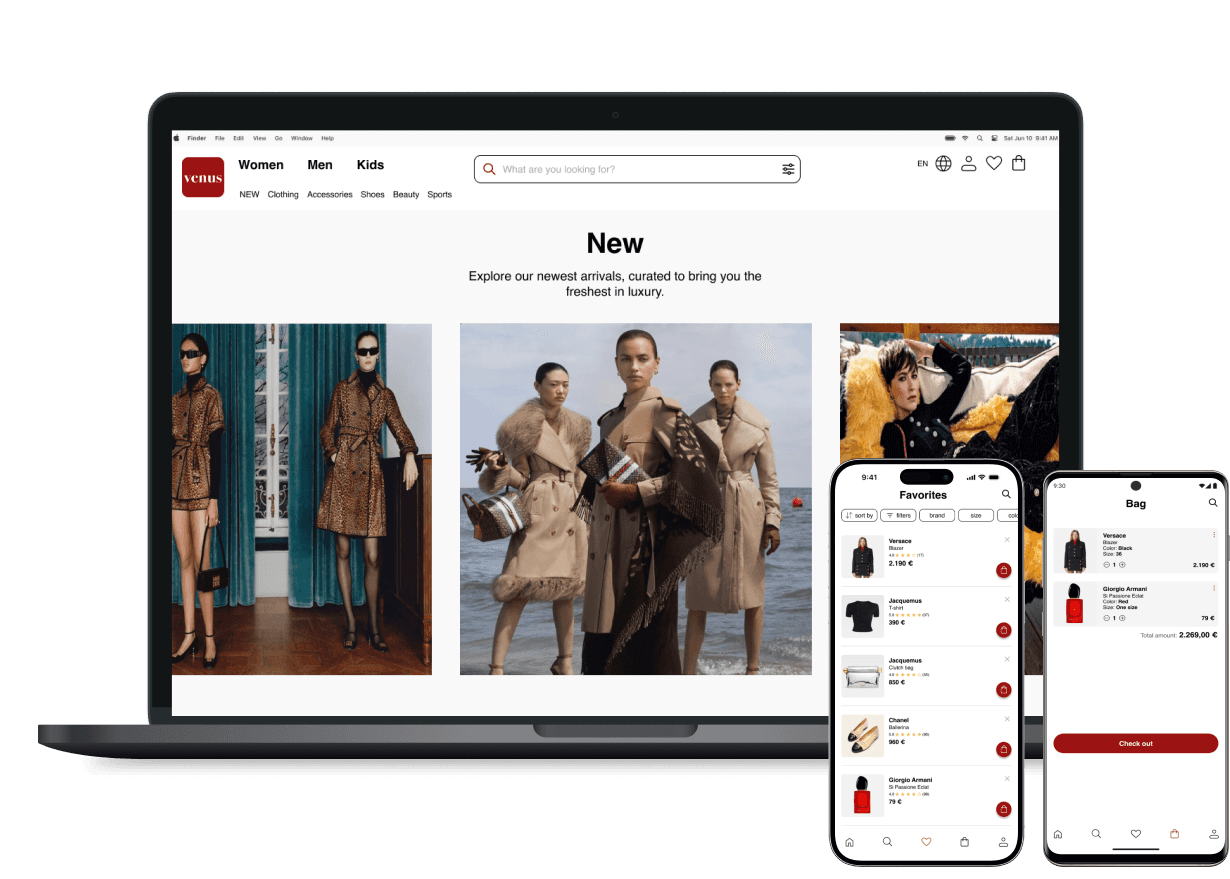
Responsive design: Adopted a mobile-first approach to ensure a seamless user experience across devices of all sizes. Prioritized essential features and established a clear visual hierarchy to maintain usability and accessibility.
Stage 4. User Testing & Iterations
Goal: Test the product search, favoriting, and purchasing process to evaluate user experience and identify areas for improvement.
Scenario: You are looking to purchase a Versace black blazer for an upcoming event. Follow the steps below to complete the task:
Begin by searching for a Versace black blazer on the app. Try using the search bar or browsing through the product categories until you find a suitable blazer.
Once you've found the Versace black blazer, add it to your favorites.
Navigate to the favorites section to confirm that the blazer has been successfully added. Verify that it appears on the list.
After confirming it’s in your favorites, add the blazer to your shopping cart.
Finally, go to the checkout page to review your order. You don’t need to complete the purchase, but make sure you reach the point where you're ready to proceed with payment.
Key Objectives:
Test the ease of finding products.
Evaluate the functionality of the favorites feature.
Ensure smooth navigation from favorites to the cart.
Assess the checkout process experience.
Reflections
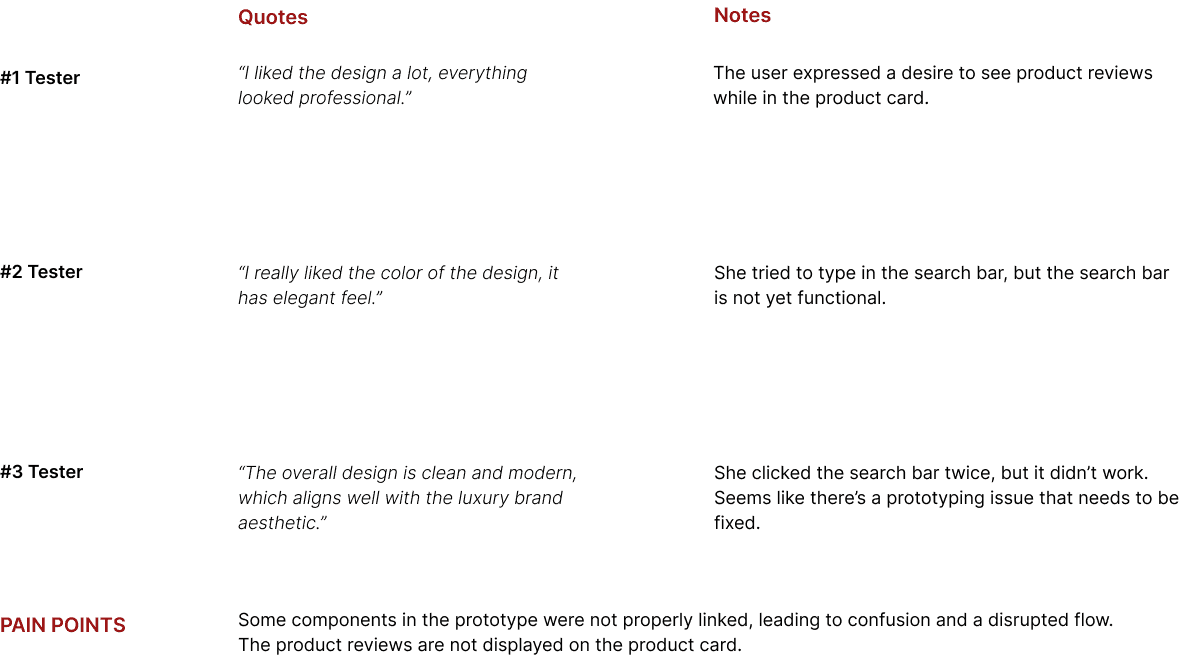
The testing helped identify user pain points, such as difficulty in finding specific products and inconsistencies in navigation flow. Analyzing user feedback led to data-driven design decisions that improved the overall user experience, particularly in simplifying the path from search to checkout.
The process of refining the design based on real user feedback highlighted the importance of continuous testing and iteration. Each test revealed both areas for improvement and aspects that worked well, allowing for a focus on features that would enhance user engagement and satisfaction.
Other projects
CarrefourSA Super App Design
B2C super app design focused on seamless navigation and a scalable design system.

AI-Powered Recipe Assistant for CarrefourSA
An AI-powered recipe assistant built for CarrefourSA, offering two distinct paths depending on what the user needs.
ebebek Seller Panel Design
Responsive B2B dashboard design using a structured design system and team collaboration.

Uzman Posta — SaaS Pricing Page
Redesigning a pricing page to help users understand what they're buying

Bimetrik SaaS Platform
Onboarding and feature animations for a B2B SaaS product
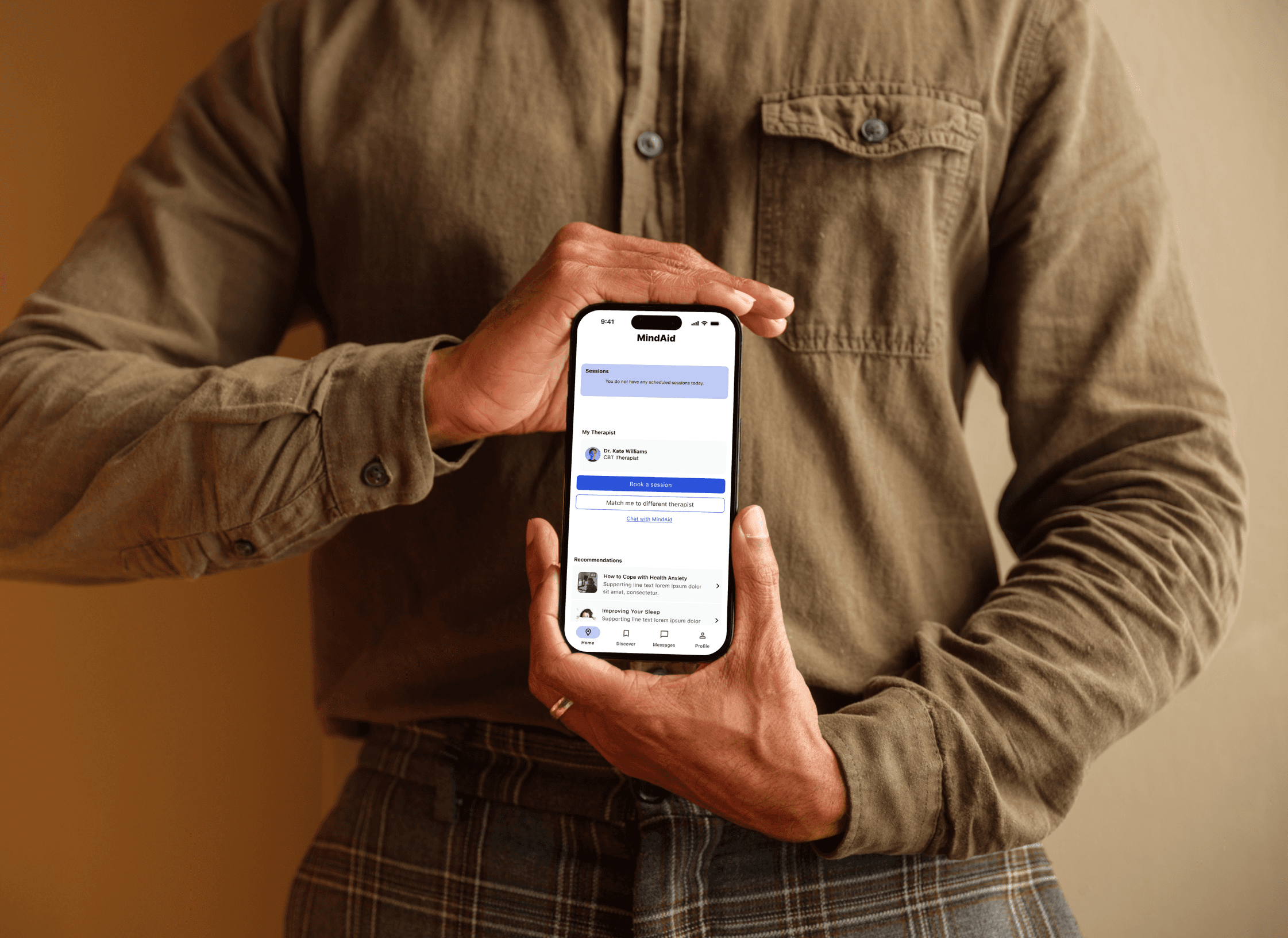
MindAid · Concept Project
A mental health app for iOS and Android combining therapy booking with an AI chatbot. Concept project from the CareerFoundry UX/UI program.